
CSS Menu
Component ID
1289456
Component name
CSS Menu
Component type
module
Maintenance status
Development status
Component security advisory coverage
not-covered
Downloads
2138
Component created
Component changed
Component body
CSS Menu enables expandable menus. It uses only CSS for menu (no javascript/JQuery).
Currently two types of menus are possible with CSS Menu ie. menus Vertical down fly and Vertical right fly.
CSS Menu provides a simple and powerful configurable interface using color picker to set menu color schema (menu bgcolor, menu text color, mouse over text color) with preview option. User can create colorful menu using just some mouse clicks. No need to write CSS to override menu color.
CSS Menu also gives opacity effect for sub menu item.
Each CSS Menu is a configurable block and easily associated with any existing site menu which can be place as normal block in a theme region.
Click image to open in new window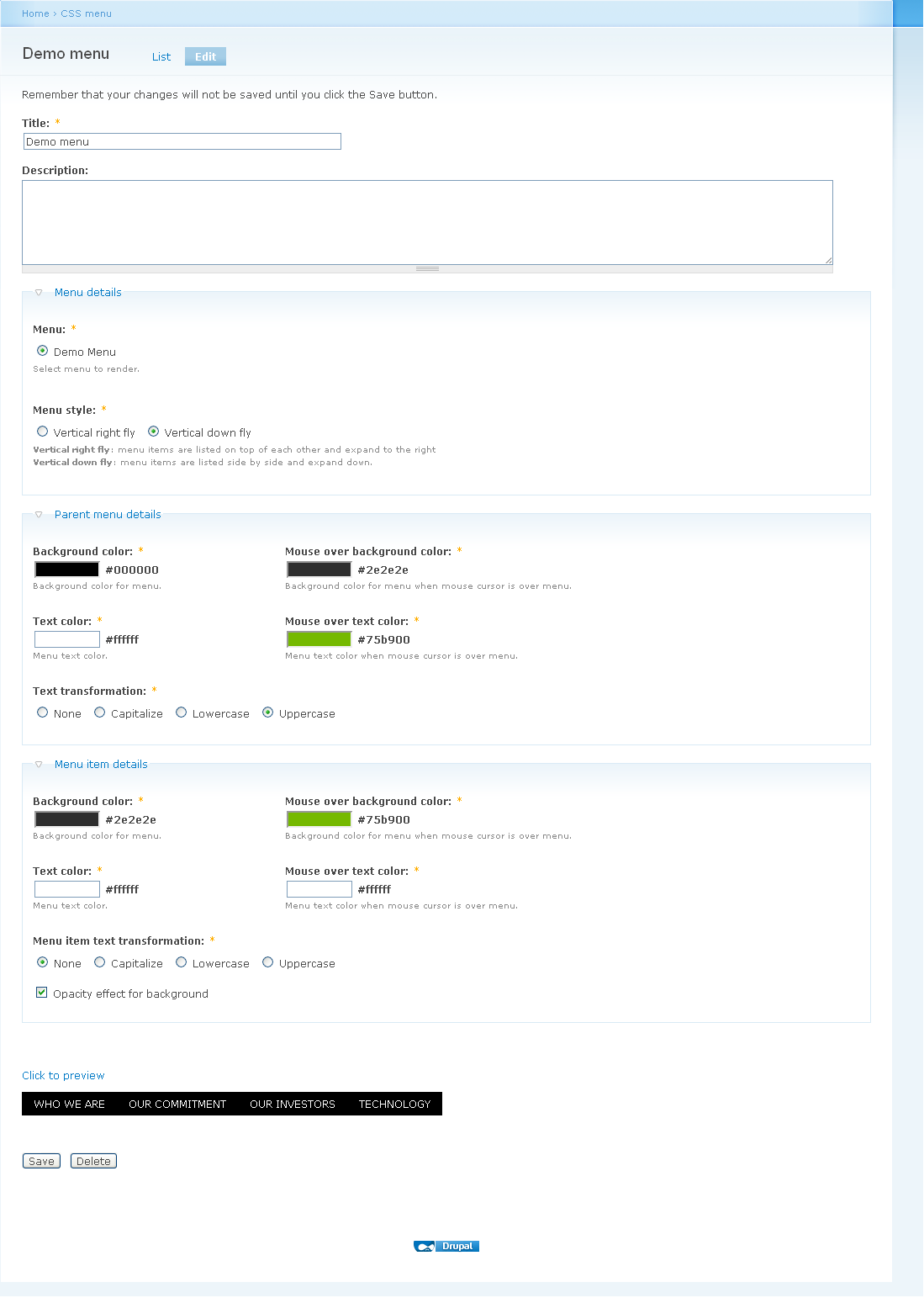
Dependencies
- Menu
- Libraries
Installation instructions
- Download from colorpicker.zip from http://www.eyecon.ro/colorpicker
- Extract the downloaded .zip to the folder site/all/libraries.
- After extracting .zip, following folder structure should exist
- sites/all/libraries/colorpicker
- sites/all/libraries/colorpicker/js
- sites/all/libraries/colorpicker/css