
Peek Summary
Component ID
900886
Component name
Peek Summary
Component type
module
Maintenance status
Development status
Component security advisory coverage
not-covered
Downloads
3005
Component created
Component changed
Component body
This is a Views summary style plugin. It allows you to embed the results of a View with each argument in the argument summary. You may use a different display; for example, you might build an archive View with a Year+Month argument, that lists the four most popular nodes for each month in the summary, but that lists nodes in date order when you click through to the argument.
Usage
(Links go to relevant screenshots)
Drupal 6
- Set the "argument summary" style -- to "Peek Summary"
- Configure the style -- choose a display plugin, set paging
- Example peek_summary output
- The same View, with an argument (not peek_summary output)


Drupal 7
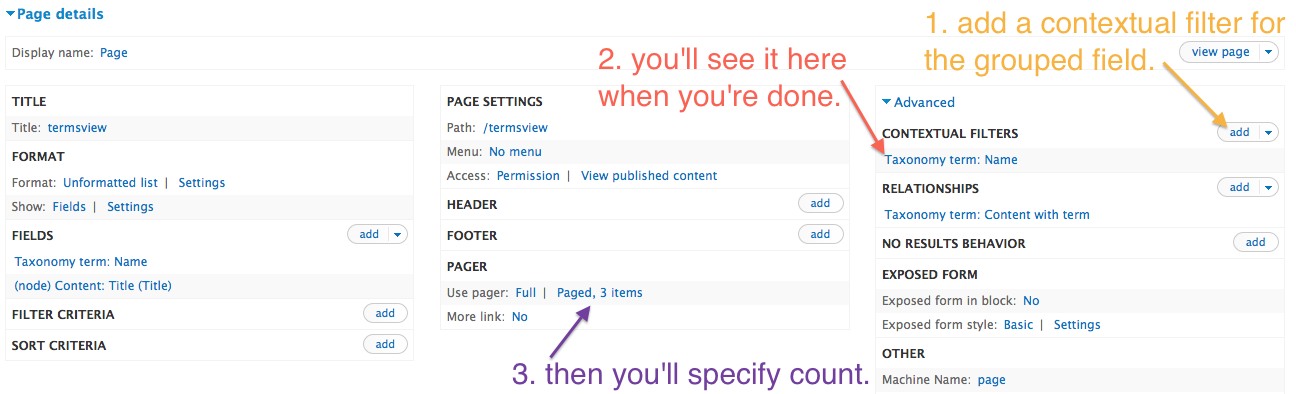
- Locate 'Contextual Filters'
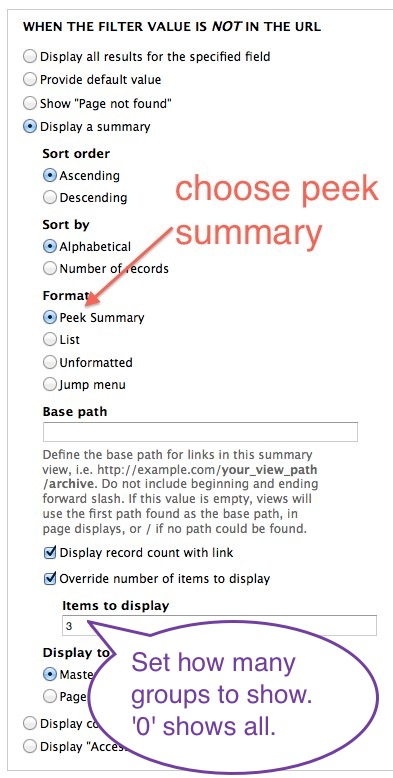
- Choose Peek Summary from 'Contextual Filters' > 'When the filter value is not in the URL' > 'Display a summary' > 'Format'
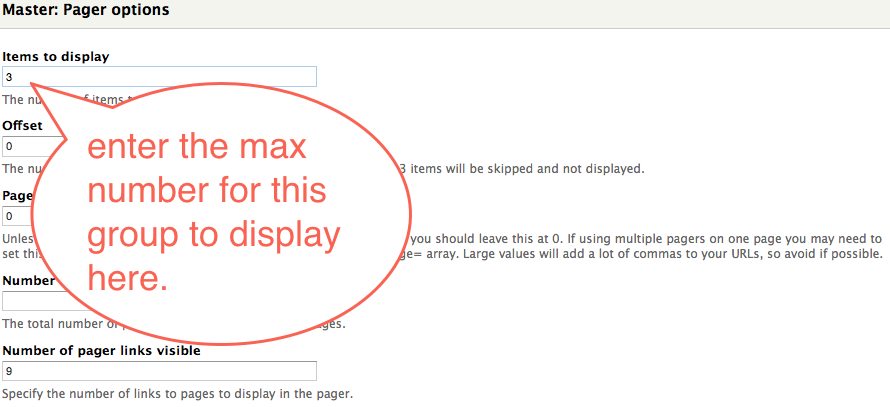
- You'll see a view of sub-views. Click on the gear next to the pager for the group you'd like to limit.
- Enter the max items to display on the pager options.

Caveats:
- You should limit the number of arguments displayed per page (in the argument summary). A View is executed for each argument that is rendered.
- You should use Views' caching, at least for the display you use for peek_summary.
- The peek_summary display must have the same arguments as the argument summary display--they may or may not be the same actual display.
This module was developed by Palantir.net for Vocalo.org.