Mask Input

Component type

module

Categories

Maintenance status

Development status

Component created

Component changed

It allows a user to more easily enter fixed width input where you would like them to enter the data in a certain format (dates,phone numbers, etc). 99/99/9999, a*-999-a999

Module works under Drupal 7, there is a similar project that works on Drupal 6 ( http://drupal.org/project/masked_input )
My version is more user friendly, now You don't need to know a element #id, just choose mask input widget and enter a mask.

Comment Anonymizer (take 1)

Component type

module

Maintenance status

Development status

Component created

Component changed

While Drupal provides capabilities for commentng for both anonymous and authenicated users, it provides no easy way for authenticated users to post comments anonymously without having to manually log out first. This is not only inconvenient to users; it also poses a problem on sites that may choose to implement a "paywall" or other means of limiting access to content but wish to allow for anonymous commenting.

Double field

Component type

module

Maintenance status

Development status

Downloads

96627

Component created

Component changed

What is Double field?

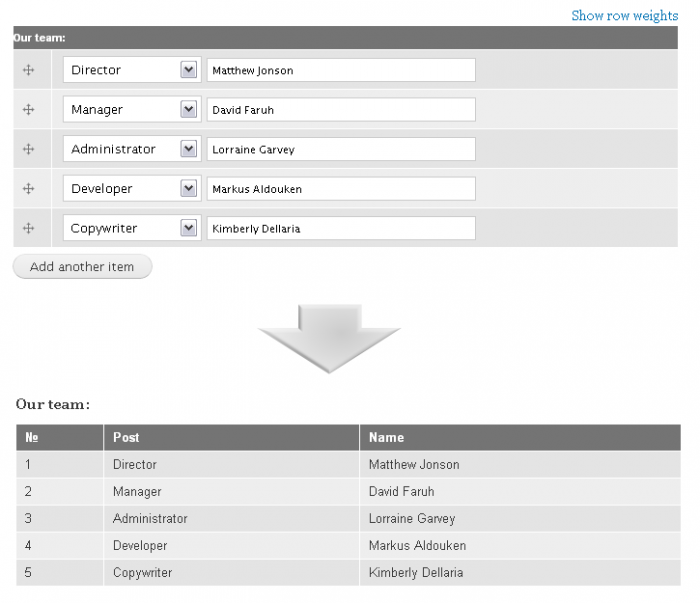
Double field is a small module written to provide extensions to Drupal's core Fields. By this module you can split your fields up into two separate parts.

For the moment it includes the following sub-field types:

  • Boolean
  • Text
  • Text (long)
  • Integer
  • Float
  • Decimal
  • Email
  • Telephone
  • Date
  • Url

Screenshots (Drupal 7)

Image URL Formatter

Component type

module

Categories

Maintenance status

Development status

Downloads

223382

Component created

Component changed

This module add a url formatter for image field. Then you can output image url directly.

Most of the code, maybe more than 90%, is just copy from the drupal core. I think it is stable enough.

I have created a content type, and add an image field instance to it, later i use views to export the data of this content type.And i want to output the data,then i could import it into another drupal 7 site with feeds module. What i need is the url of the image field, but i could not export the image url directly. That is why i create this small module.

Multiple Users Autocomplete

Component type

module

Maintenance status

Development status

Downloads

1549

Component created

Component changed

This module allows for the creation of form elements that accept multiple usernames for that Drupal site as comma-separated values with autocomplete, much like the experience of free tagging, but with users.

To use this, download and activate the module, then when you're building forms in a module, just add this to the array for the field that you want to use as your multi-user autocomplete:

'#autocomplete_path' => 'user/autocomplete/multiple',

Here's an example of what a whole multiple-user-autocomplete field might look like:

Default Value Previous

Component type

module

Categories

Maintenance status

Development status

Component created

Component changed

Set the default value of a field to the last value inputed to that field by that user.

Right now only works by delibretly setting the default_value_function key to default_value_previous_default_value_function in the instance setting (when creating field via the api or exported field definition via features).
Currently only tested with fields attached to node, has a low likelyhood of working for others, but ya can try.